Sunday, April 28, 2013

More Updated Photo Frames

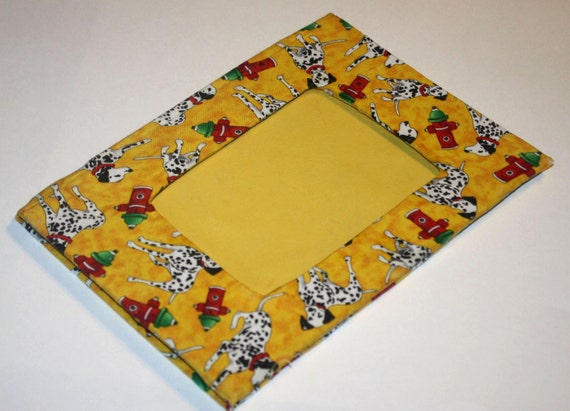
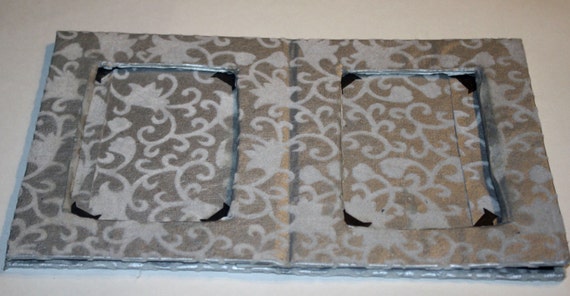
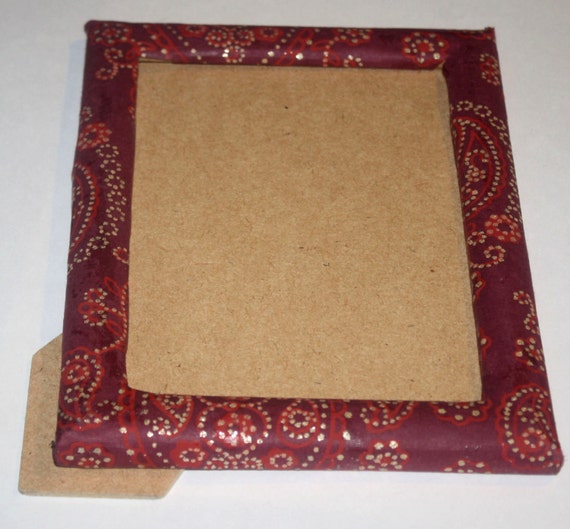
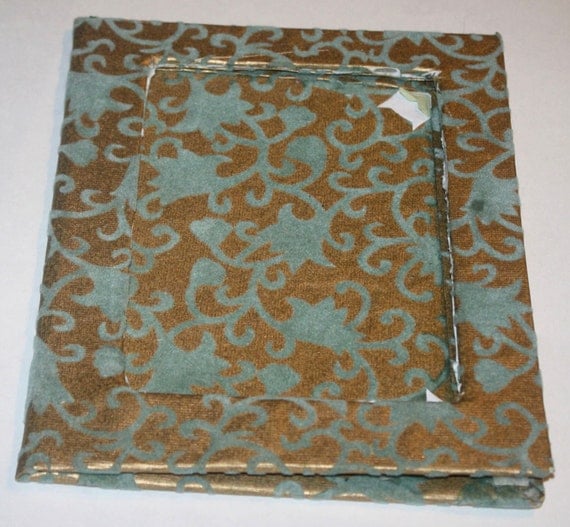
Here are some more updated photos for photo frames in my shop. I don't know if I'm going to continue selling photo frames in my shop (after these sell).

Yellow Dalmatian Photo Frame


Silver Flocked Photo Frame


 Do you like to buy photo frames?

Thursday, April 25, 2013

Art Journaling Abstract Patterns

I experimented with doing some abstract watercolor painting patterns in my art journal. Some of them also use texture like sea salt. These are some of them:

Pink and Orange Salt Water Orange and PurpleBlue and Purple Swirl Purple Splatters Sunset

You can see more on my Flickr. Do you like to paint?

Wednesday, April 24, 2013

Moon and Stars Illustrated Mini Book


Note: This blog entry is an item feature entry. I wrote it to include more info about a listing I put on Etsy so I could show more info and photos.

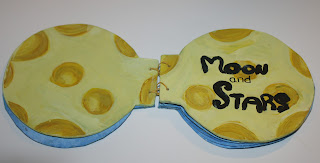
"Moon and Stars" is an original mini book created and illustrated by me. The cover is painted to look like a yellow full moon. It is filled with original watercolor paintings. The book is bound together with yellow thread using the coptic stitch method.


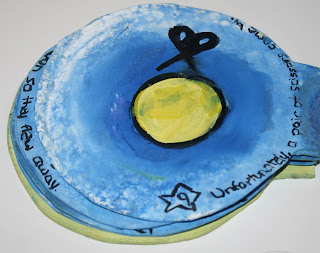
"Moon and Stars" tells the story of a moon going through different phases. A crescent moon is sitting in the sky one night when a magical floating needle and magic stars comes by and turn the crescent in to a full moon. The full moon shines brightly in the sky until a big bad pair of scissors comes by and cuts the moon in half. Eventually, the moon shrinks back in to a crescent as it started. The stars notice the moon looks lonely so they join the moon to dance in the night. This book is good for teaching children about the cycles of life and that change is inevitable.


The book contains 15 pages (with a painting on the front and back of each page). It measures about 6 x 6 inches when closed. I made this book as part of a Book Arts course I took in college.


For pricing info and to purchase this book, see my listing on Etsy here.

Tuesday, April 23, 2013

Glitter Sandals Tutorial

I transformed some black strappy sandals I had in to gold glitter sandals. I saw some people do this online and I thought I'd try it out because it looked pretty simple to do. Here's how you do it.

Supplies:
Mod podge
Glitter (I used gold)
Paint brush
Old shoes
Wax paper or newspaper

Take some old shoes you want to add glitter to. I never wore these strappy sandals and they were kind of plain so I thought I'd try it with them. Lay your shoes on newspaper or wax paper. If your shoes have straps like mine, unbuckle them first. You might want to lay some wax paper on the sole of the shoe (cut to fit the shape) so glue or glitter doesn't stick to the bottom.


Use the paint brush to paint a layer of mod podge on the outside of the shoe. I'd recommend working in small sections. Sprinkle glitter over the mod podge and then shake the excess glitter off on to the wax paper or in to a container. Repeat this step with the other shoe (you can use the excess glitter).You can also separately mix the mod podge with glitter before painting the layer on if you'd rather do it that way.

I missed a few spots the first around so I repeated this step so glitter was on all parts of the shoes I wanted it to be on. Add a final layer of plain mod podge to seal in the glitter.

Wipe off any glitter or glue that got on the bottom or soles of the shoe. Let dry overnight.

I like how my sandals came out. I think they're more unique and fun now and having the glitter makes me excited to wear them.


Let me know if you try out this tutorial!

Saturday, April 20, 2013

Concert Posters Inspiration

Here are some concert posters that inspire me. You can see my first post of concert posters here.


What inspires you?

Thursday, April 18, 2013

10 Essential Craft Items

Here is a list of 10 essential craft/art supplies I use the most or are my favorite. These are items I use for multple art and craft projects and not just bookbinding/card making.

Decorative paper - This is probably my most used item in craft projects. I don't use a lot of fabric in my Etsy shop because I make paper items so I always have a lot of paper. I use scrap decorative paper in my art journaling and for other projects. For my favorite places to buy decorative paper, see my bookbinding tutorial.

Bone folder - A bone folder is a must have for paper crafts. It allows you to make creases and folds and smooth out bumps from glue.

Paint - I love painting. For art projects, I always have watercolor and acrylic paint. I use watercolor paint in my art journal a lot because it is lightweight. I also use it in greeting cards in my shop sometimes.


Glue - I use glue with everything. I try to get good quality PVA glue from a bookbinding store such as Hollander's so things last a while.

Paint brushes - I use paint brushes for painting, but I also use them with my PVA glue when I make paper crafts. You can buy special brushes for glue, but I just use old cheap paint brushes I have to spread glue around.

Scissors - You need scissors for everything. I usually use a cutting board for my journals.

Glitter - I love using glitter in my art journaling. I also use it for other artsy things like putting it on my nails for nail art (I put a top or base coat on and sprinkle glitter over it so it sticks).

Wax paper - Basic wax paper prevents paper items from sticking together. I use wax paper for bookbinding, greeting cards and art journaling so pages don't stick together.

Fabric - Even though I usually use paper, fabric is good for other craft projects I do such as making bags. I like getting my fabric from Alexander Henry.

Thread and needle - This is kind of two items, but a thread and needle can be used with multiple craft projects. I use a thread and needle to stitch my books together. I also use it for hand sewing other craft projects.

If you have your own blog, feel free to write your own list and share it in the comments.

Tuesday, April 16, 2013

Brooklyn Day of Fashion

I went to the “Day of Fashion” event at the Brooklyn Museum a few weeks ago. It was partly run by Etsy so I was excited to go. I didn’t stay the whole day, but I saw the fashion show. I really liked some of the clothes and there were some really creative ideas. I got some photos. You can see more on my Flickr

Here are some links to some of the designers:

iheartfink
naKiMuli
Collecthernews
Olek
The Brooklyn Circus
Kasia Wisniewski

Did anybody else go? Or have you been to any similar fashion events?


New April Sponsors

Here are my sponsors for April. I started using PassionFruit ads so it would make it easier to swap ads and I could have more sponsors at once. I also made a media kit you can see here.

Eyelah


Eyelah makes accessories that are "perfect for the everyday woman". Ayla from Eyelah blogs about crafts, tutorials and inspiration. You can see Eyelah's shop here.

Princess Corner


Princess Corner is a fashion blog by Ruzu that is her "corner in the cyber space where I can share everything that I love". Ruzu started blogging when she became interested in fashion blogs and lolita underground fashion.

Red Parka Diaries


Red Parka Diaries is an art blog by Jen about "art, craft and building a beautiful, creative, sustainable and original life". You can see the Red Parka shop here which sells original illustrations and other items.

All My Happy Endings


Mandi shares her personal life on her blog, All My Happy Endings. She is a mother to three children who lives in Texas and is a "vintage junkie" who loves painting, dancing and long chats with old friends at tiny coffee shops.

Martha's Little BIG World


Martha is a twenty three year old who loves all types of DIY and crafts including sewing, knitting, crocheting and baking.

The Mrs. Blog


The Mrs. Blog is a blog by Megan with fashion, thrifting tips, and more.

If you're interested in being a sponsor, please see my Advertise page for more info.

Sunday, April 14, 2013

New Journal Sales

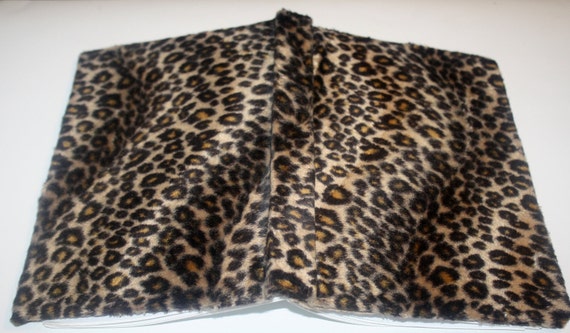
I made some new sales recently! I sold this Leopard Print Journal:


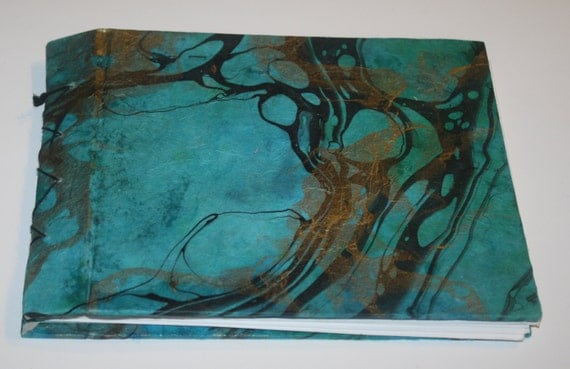
I also solid this Turquoise and Gold Marbled Photo Album last month. I forgot to blog about it.


If you have an Etsy, have you made any sales lately?

Friday, April 12, 2013

How to Organize Photos Tutorial


This tutorial shows you how to organize your digital photos. I use Adobe Bridge to organize my photos because it has a lot of features so this tutorial uses Bridge as an example. There are a lot of other good photo organization programs out there though such as Picasa and iPhoto. Try out a few programs and see what works best for you.

Folders versus TagsYou can organize photos in to folders or tags (or use a combination of both). You can think of a folder as like an actual folder you use offline. You put items in to different folders, but you can't put the same item in to two folders.

A tag is a non-hierarchical keyword (or term) that you can put on to each file. The good thing about tags compared to folders is you can put multiple tags on the same file. So if I have a photo that is tagged "Food", I can also tag it "Dessert" and "Cakes". When I click each of those tags, the photo will show up.

My Set Up
Since I have a lot of photos, I like to put my main categories in to folders and also use tags for each photo. I originally had all my photos in to folders, but since I've discovered tags, I've really liked using those too.

In my Pictures folder, I have folders for my main categories such as Artwork, Etsy, Internet Photos and My Photos. Inside each of these folders, I have all my photos tagged.


For this example, I'll show an example with my Internet Photos folder because I have a lot of photos here. I have a ton of internet photos saved so I have more folders inside the Internet Photos folder.


Here's my "Animals" folders. I have keywords/tags in the left corner for different types of animals such as cats, cows, deer, etc.


For example, if you click "cats" it shows up all my photos tagged with "cat" show up:


Tagging PhotosTo add tags in Adobe Bridge, I use the Keywords feature. Just click the "Keyword" button on the right side of Bridge next to "Metadata".

To add a tag, click on a photo (or use the Control button and select multiple photos) and select a tag to use. I already have Keywords set up in these screen captures. To add a new keyword, click the arrow button on the upper right side and selet "New Keyword". Once you set up new keywords, they'll always be there so you can use them again and again. You can also put Keywords inside each other to make it easier to organize. For example, I have "cats" under "animals", but both are tags.

For this photo of a white cat, I'm selecting "Animals" and "Cats" as a tag.


Renaming Files
Renaming files is another way you can organize your photos on Bridge. Batch renaming makes changing file names easy to do. To rename a batch of files, I select the files I want to rename and and go to "Tools" and then click "Batch Rename". For this example, I rename some cat photos "cat_onedigit" (one digit is a number that changes with each photo to make a unique file name).


Batch renaming is helpful if you want to find files easily. Since tags don't split photos in to folders, it can be harder to find files if you want to upload them. Renaming them makes it easier so you can just search for that file name.

RatingsI also like using ratings to keep track of my favorite photos. You can rate files from 1-5 stars (I usually just use 4 and 5 stars for photos I really like). In this example, I selected a cute photo of kittens cuddling to rate five stars:


Go to "Label" and select the number of stars you want to rate the photo. You can also click on the photo and click on the five dots beneath it to select the number of stars you want to rate the photo. To rate more than photo at once, select the photos all at once by using the Command button.


To see photos you've rated, select the Stars on the left side of the screen.

That's the method I use to organize my photos. How do you organize photos on your computer?