Tuesday, July 31, 2012
Personal Photos: Sky
What do you like to take photos of?
Sunday, July 29, 2012
How to Make Color Palettes Using Photoshop Tutorial
Tools:
- Photograph that you like the colors of
- Photo editing program (such as Adobe Photoshop)
Finding a Photo
Like with making a color palette offline, you'll want to start off with an inspiring photograph that you like the colors of. You can find photos all over the place online, but some good sources are Tumblr, Flickr and Pinterest. Save the photo and open it with a photo editing program such as Adobe Photoshop. You can really use any photo editing program, but I use Adobe Photoshop in this example. For this tutorial, I'm using this pretty photograph of a deer I found on Flickr:
Color Palette Template
This is a template I made for color palettes. You can do any layout you want. I find this template to be easy to use. You can save this photo or copy and paste it in to your photo editing program.
You want to put the photo in to the top gray part of the template. You can copy and paste it and see how it fits in to that space. If it's too big, you can resize. In Photoshop, go to Image > Image Size. I usually have the size be 500 pixels on one side and then it automatically resizes the other side. You should have something like this:
Now comes the fun part - selecting colors to put in the color squares below the photo. Use the dropper tool to find the main five colors on the photo. In my screen capture below, the dropper tool is the one right above the paint brush tool (which is selected).
I usually start with the lightest color (that's not white) on the photo and go to the darkest (that's not black). It's best to use a photo that doesn't have a whole lot of colors in it so it doesn't get too complicated. Don't try to get every color in the photo. Just try to find the main theme of colors. Once you find your light color, use the dropper tool to go over it. The color should show up in the square that shows what color you're using in the toolbar. Now, select the first square with the marquee tool (first tool in the toolbar). Use the paintbrush tool (right below the dropper tool) to fill in the first square.
Keep doing this with all the colors you want to use.
When you're done, you should have something like this.
Color palettes are pretty fast to make once you get the hang of it and it's interesting to see what colors come up. If you don't like the result, try using a different image or try again by selecting different colors in the image.
Color palettes on the computer are perfect to use for online art projects such as website design and graphics. I hope someone finds this tutorial useful. The link again to download the template is here. If you try it out, let me know in the comments!
Friday, July 27, 2012
Updated Greeting Cards
Congratulations Gold Sequins Greeting Card
Yearbook Graduation Greeting Card

Do you like to give out greeting cards?
Thursday, July 26, 2012
Aerial Photography
What inspires you?
Wednesday, July 25, 2012
Sunday, July 22, 2012
How to Make Color Palettes Tutorial
- Photograph that you like the colors of
- Color swatches
- Paper
- Scissors
- Glue
Color palettes are pretty easy to make. To make a color palette offline, you'll first need to find your color inspiration. Find a photograph (or a couple) that you like the colors of. Magazines are a good place to look. Try to find an inspiring and unique photo. Once you find a photo you like, glue it down to a sheet of paper a little larger than the photo (or you can just work directly on the photo you find like I did in these color palette examples).
You'll need to have color swatches. You can get color swatches from a hardware store or anywhere that sells paint.
Look on the photograph and try to find the main colors in the photo, matching them with the most similar color swatch color you have. Usually, I start with the lightest color on the photo and go to the darkest. Don't try to get every color in the photo. Just try to find the main theme of colors. Choose about 4-6 colors. Once you find these colors, glue them next to the main photo. I like to arrange the colors from lightest to darkest.
Now you have a color palette. You can make as many as you like. Once you have the color palettes, you can use them as color inspiration for art projects.
Let me know if you find this tutorial helpful. Have you ever used a color palette? Next week, I'll show how to make color palettes on the computer.
Saturday, July 21, 2012
Good News Greeting Cards
Good News Greeting Card

Blue Tissue Good News Greeting Card

Which one is your favorite?
Friday, July 20, 2012
How to Organize Your Makeup Vanity

Love your makeup? Take care of your beauty products by keeping them organized. You can keep makeup organized in the bathroom or bedroom. Here are some ideas to get your beauty collection organized.
Get Rid of Outdated Makeup
Get rid of makeup that is old or expired. Like with other organization, take all your makeup out of its drawers and lay it out to go through each item individually. Ask if you love each item. I like this method by LearnVest that organizes makeup in to five categories:
- Special occasion items – These are items you only use for special events, like huge false eyelashes or bold colored eye shadows you only wear on Halloween.
- Items you use everyday – I have a section on my counter where I keep just the makeup I wear on an everyday basis. This includes foundation, powder and lipgloss. I can put it on quickly without looking through tons of products.
- Things you never use – This is your toss pile. Get rid of these items. You can swap them if they are not expired or sell them if they are still in their package.
- Things you might use more if … This is for items you have been meaning to try, but never got around to. Did get a nice makeup palette you always wanted as a gift, but never really used it? Leave these in a separate pile for now.
- Duplicates – Use this pile for items you have more than one of. Maybe our have two bottles of your favorite moisturizer because you always stock up on it.
What Do You Love?
As you go through your piles, you will get a sense of what you love and what you don’t. Figure out your style and what kind of makeup you should or shouldn’t buy in the future. If you never wear blue eyeliner, don’t buy it again. Did you buy it just because it was on sale or in trend? Avoid buying items just for trends in the future. Is there a brand you always love the makeup of? Look for deals and discounts from this brand in the future.
Set Up a Vanity
When you organize your space, you can set the makeup depending on the piles. Everyday makeup should be in the easiest place to reach. Special occasion items should go in one spot. For items you might use more of, try them out for a month and see if you really like them. Otherwise, don’t buy them again. Duplicates can be stored out of immediate view so you have a backup.
The bathroom or bedroom are good places to store makeup. I love vanity tables. See my blog post on vanity inspiration here.
What are your best makeup organization tips? Let me know in the comments or use hashtag #mythreadofthought with your favorite makeup products.
This vanity is more minimalist. Extra shelving underneath the counter gives more storage space.
How do you like to store your makeup and beauty products?
Tuesday, July 17, 2012
Color Palettes I've Made
This color palette is of a pretty photograph I took of the sky. I loved the white and blue colors from the photograph and wanted to see how they looked as a color palette. I love how relaxing the colors are.
This an art journaling page I did. I think adding the black color gives the color theme a sort of dark mood. Without the black, the color theme makes a nice different shades of green.
This is another photo I took of the sky. I liked the pretty, soft colors and think they make an interesting color palette.
This is "Starry Night Over the Rhone", a famous painting by Van Gogh. I like the contrasting blue and yellow colors he uses in this painting.
This is a photo I found of a leopard online. I used it as inspiration for a painting I did a few years ago.
Saturday, July 14, 2012
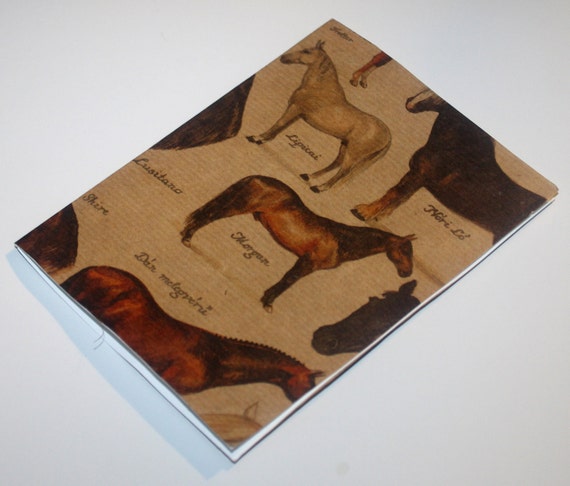
Horse Lover's Greeting Card


What's your favorite animal?
Friday, July 13, 2012
Move the Needle Logos
Just a tip if you do graphic design or have an Etsy shop - you should make a note what fonts you use in a graphic in case you want to use the font again. It took me a while to figure out what cursive font I used was when I wanted to redo my graphic.